1 Introduction
Once your files are uploaded to our infrastructure, you need to configure your hosting to correctly execute your code. This step is essential for your bot to start automatically.
2 Access the Startup tab
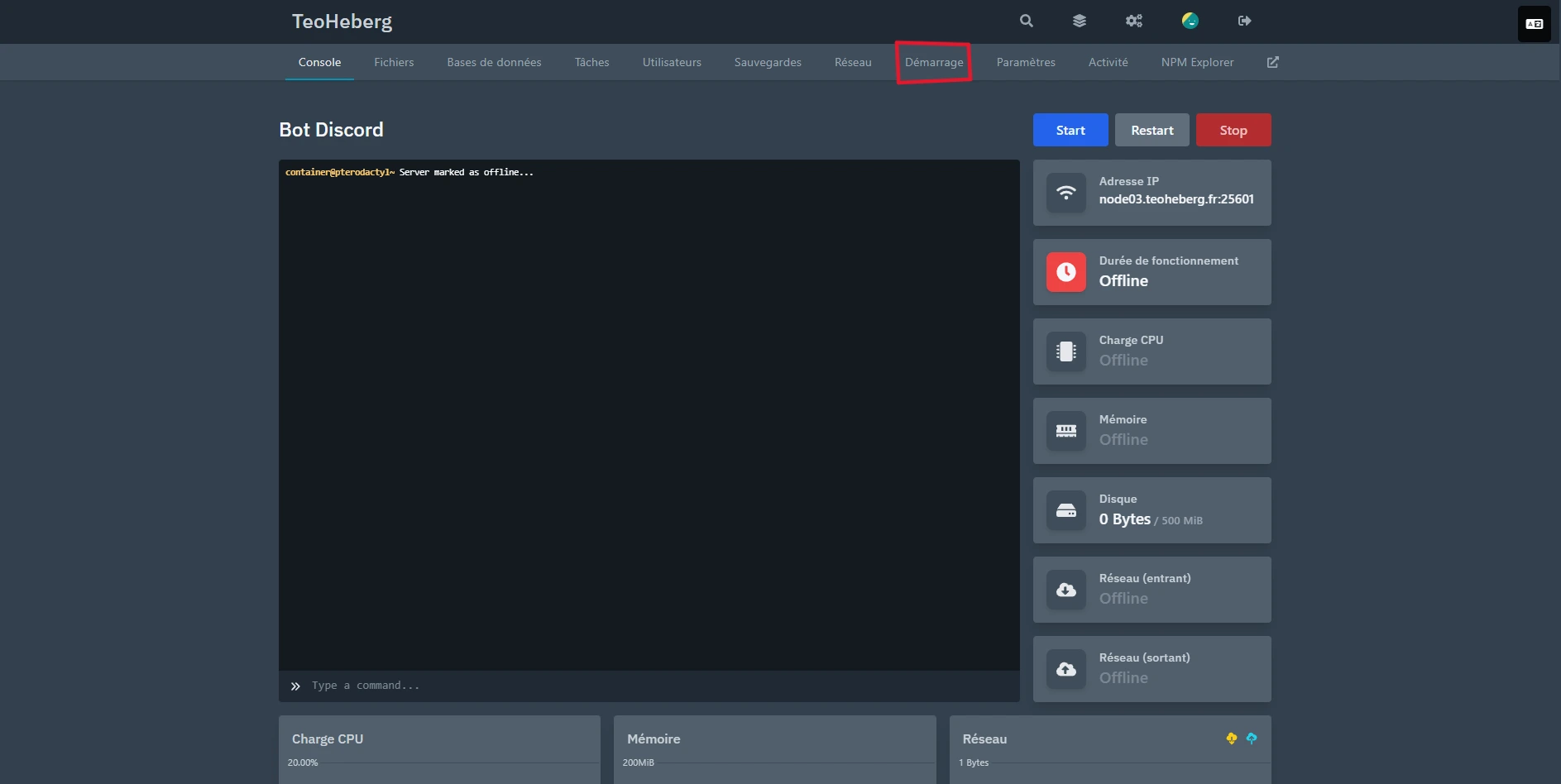
From the Pterodactyl panel, go to the "Startup" tab of your server. This is where you will indicate the main file to launch.
3 Set the main file
In the "JS FILE" section (for Node.js) or "PY FILE" (for Python), enter the name of the file to execute at startup:
index.jsfor a classic Node.js projectbot.jsif your main file is named this wayapp.pyfor a Python projectmain.pyfor a main Python script
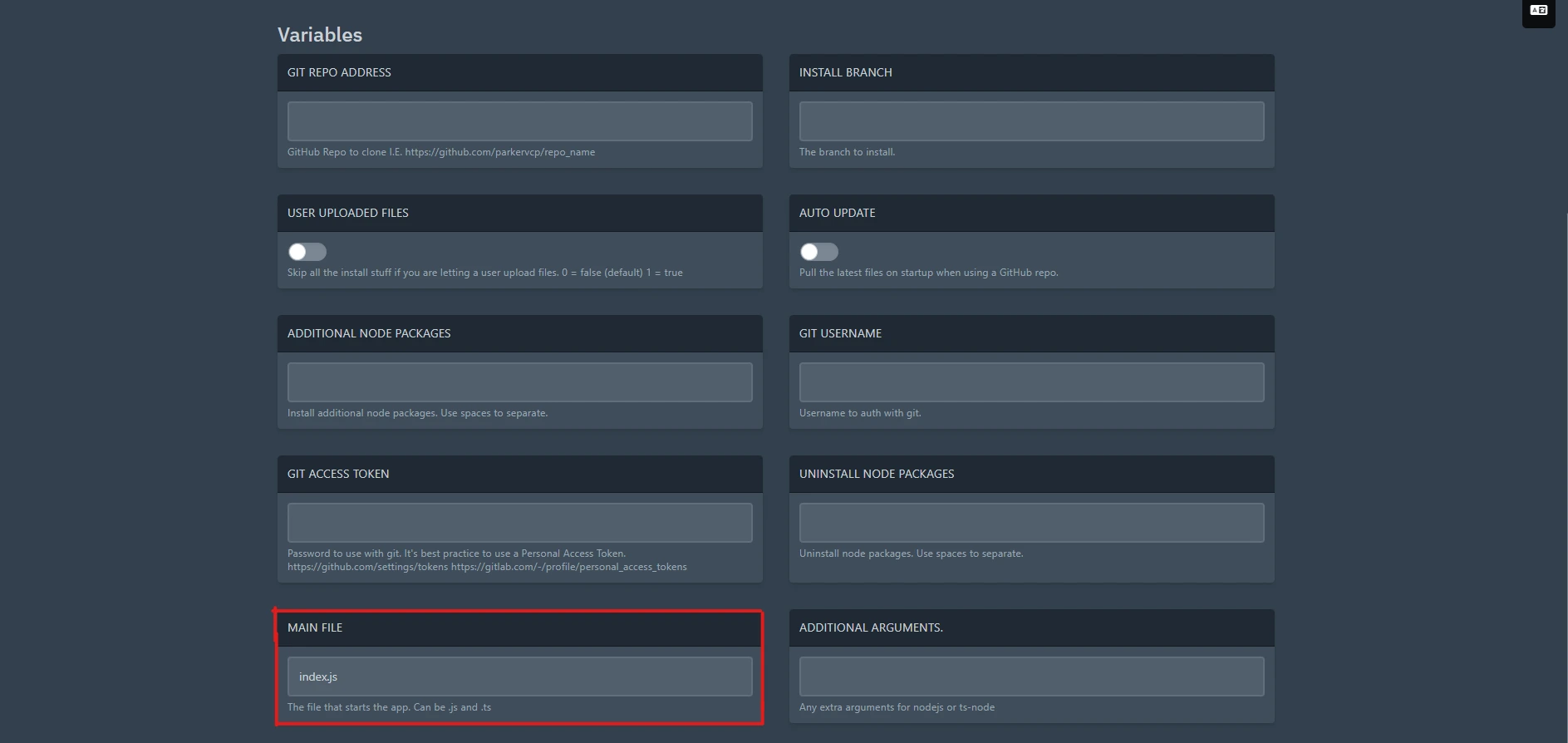
src/index.js).
4 Environment variables
If your bot uses environment variables (such as the Discord token), you can configure them in the "Startup" tab under the variables section. Each variable can be modified directly from the panel.
5 Restart the server
After configuring the startup file, restart your server to apply the changes. Your bot should now launch automatically with the correct configuration.