Back to guides
1 Access the Manager
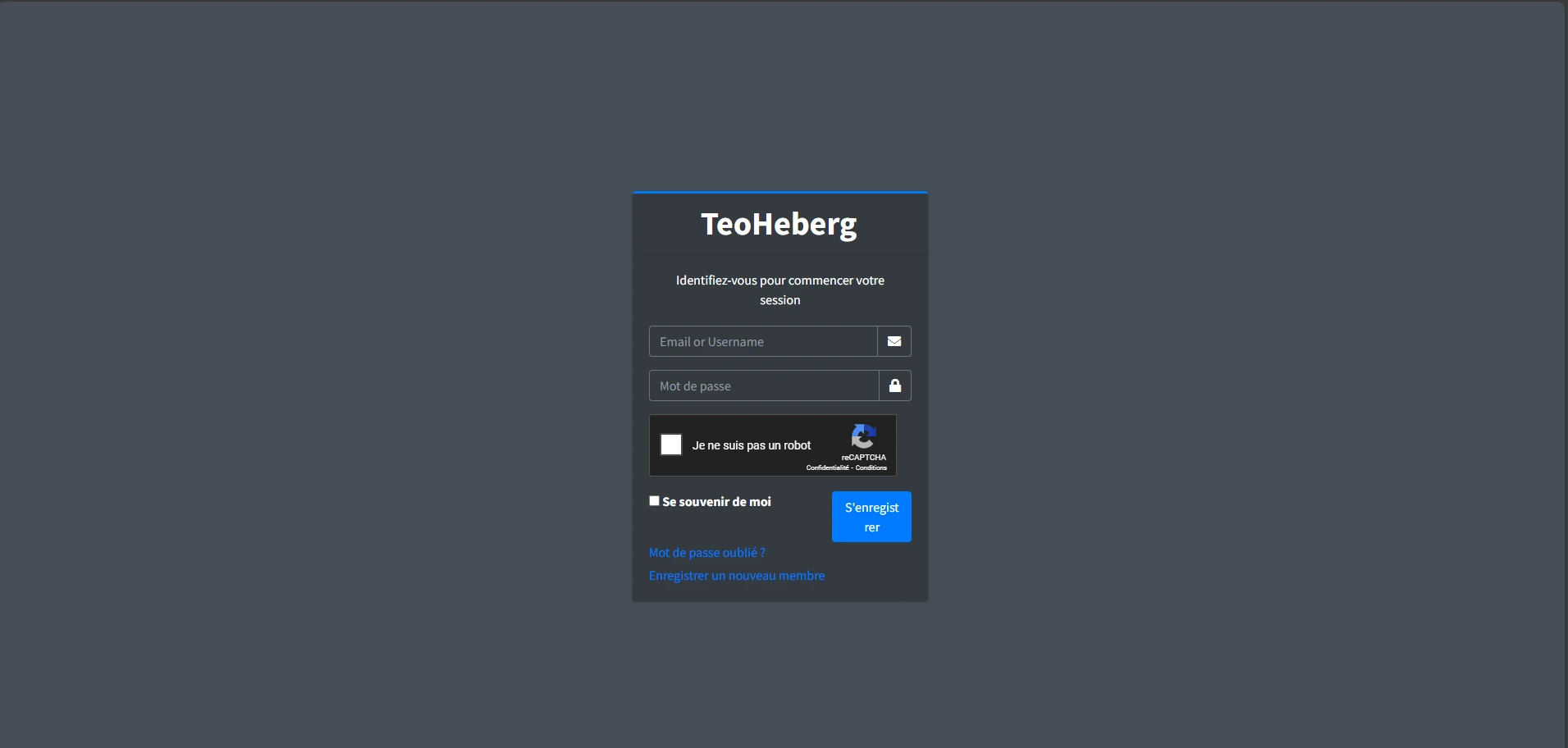
Go to the TeoHeberg manager and log in with your credentials. Discord verification is required to access our free services.
2 Access Your Profile
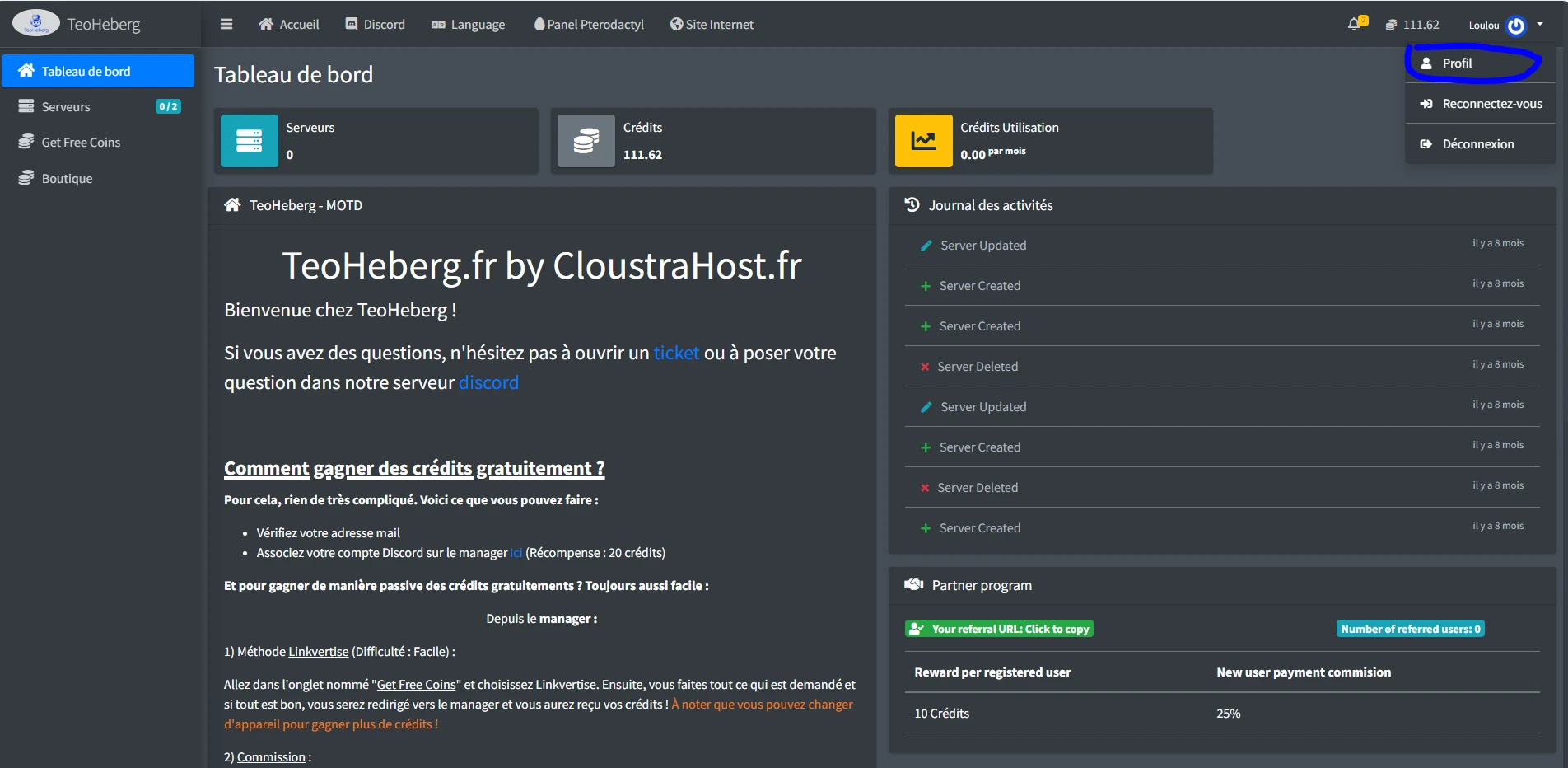
Click on the "Profile" button in the top right corner of the manager to access your account settings.
3 Verify Your Discord Account
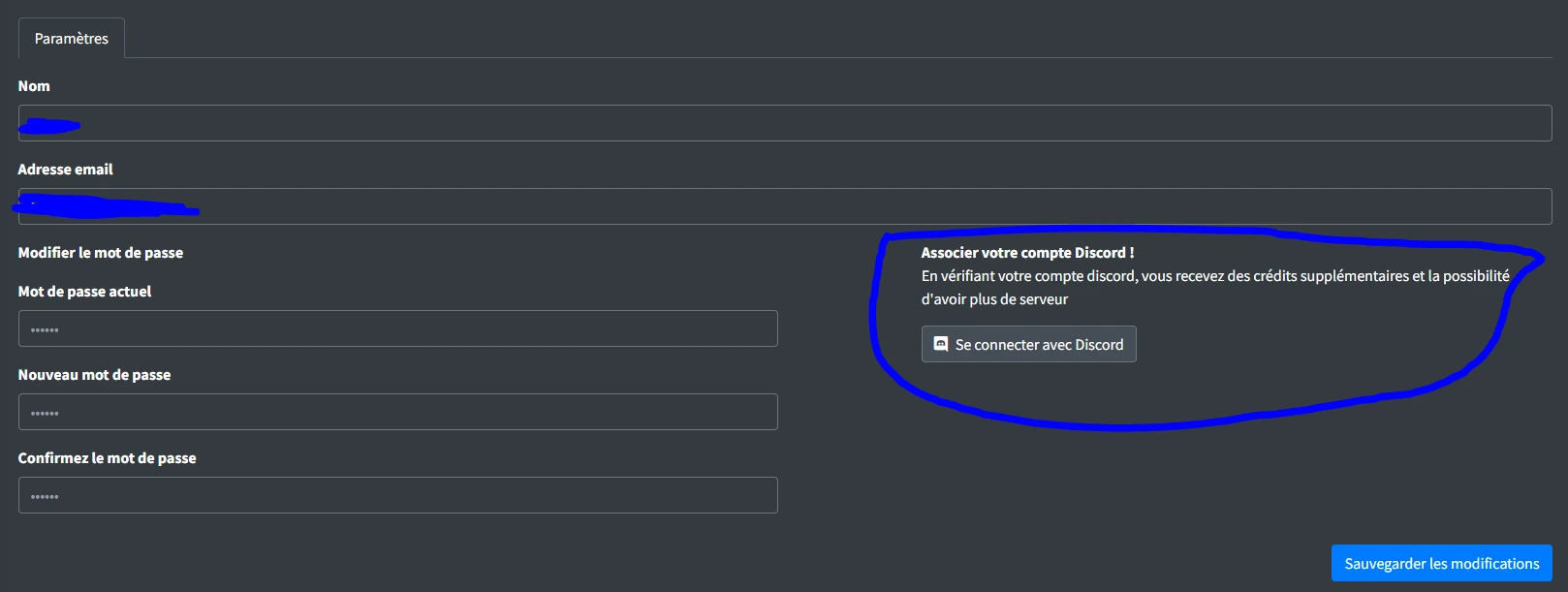
Click the "Connect with Discord" button and authorize the association of your Discord account with your TeoHeberg account. Once linked, you can freely enjoy our services!
✅ Done! Your Discord account is now verified. You can create servers and host your bots for free.